OpenClaw has been blowing up lately. It hit around 180,000 stars on GitHub, the creator got hired by OpenAI, and everyone is trying to run it. The problem is it is heavy, uses over a gig of RAM, takes a long time to start, and struggles on anything.
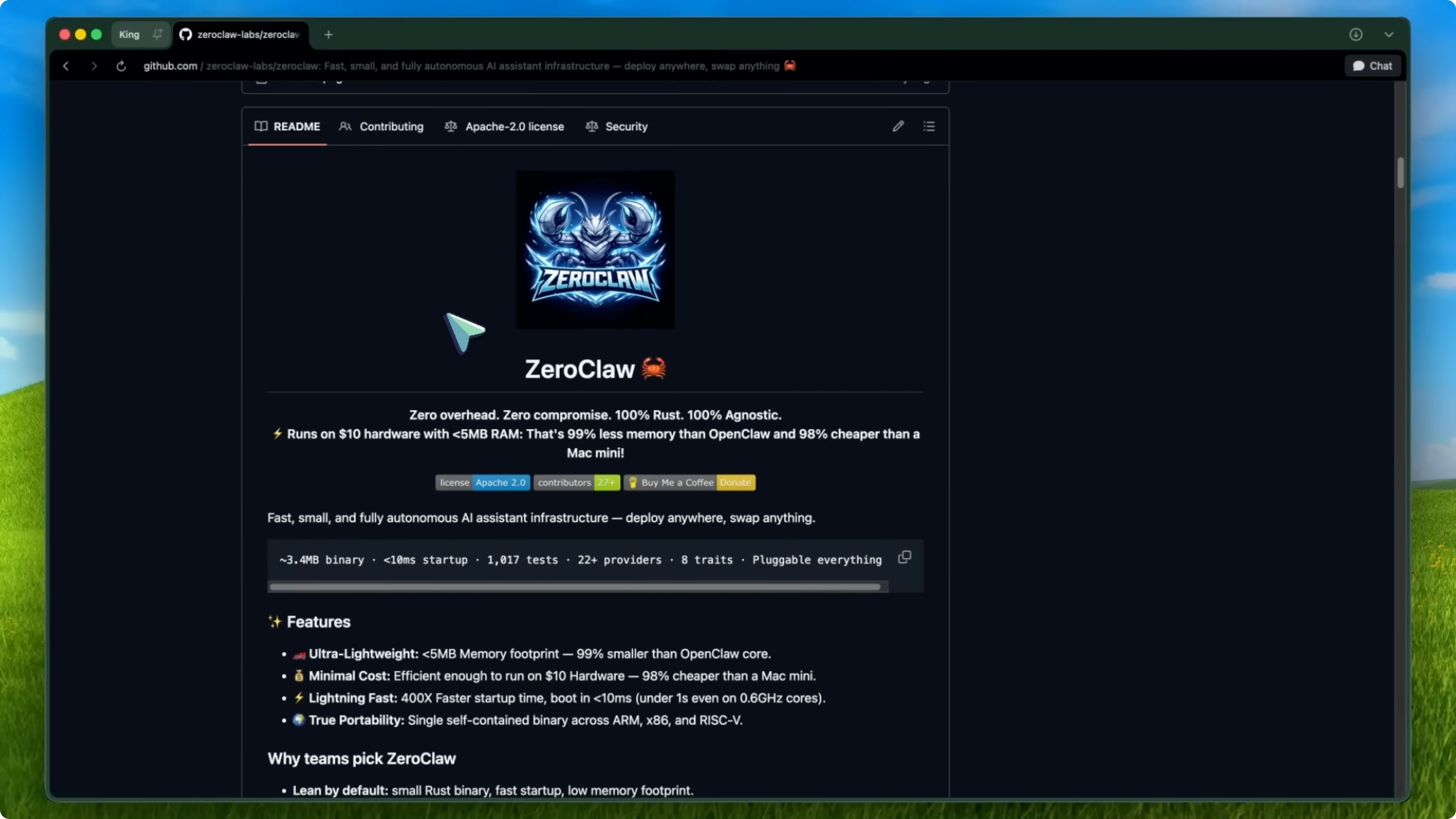
Many of you pointed me to an alternative that actually looks amazing after digging in. It is called ZeroClaw, and the tagline on GitHub is literally “claw done right.” It is a fully autonomous AI assistant built entirely in Rust and designed to be an ultra lightweight replacement for OpenClaw.
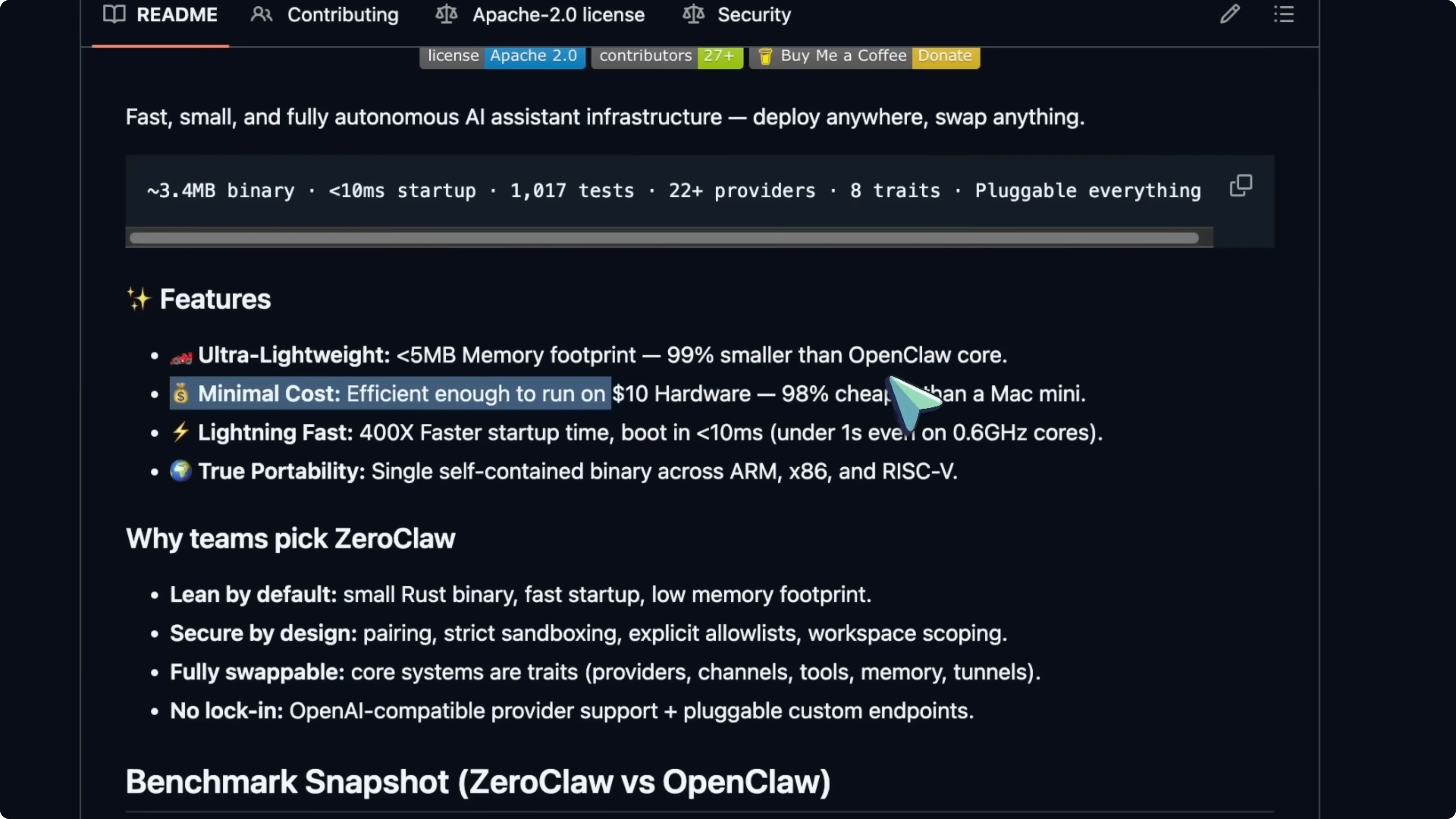
We are talking about a 3.4 MB binary. That is the whole thing. OpenClaw’s core alone is over a gig, which makes this close to 99 percent smaller.
The whole idea behind ZeroClaw is that your AI assistant should be a daemon, not an operating system. OpenClaw tries to do everything, but it demands serious hardware. ZeroClaw takes the opposite approach - it is lean, fast, and runs on basically anything.
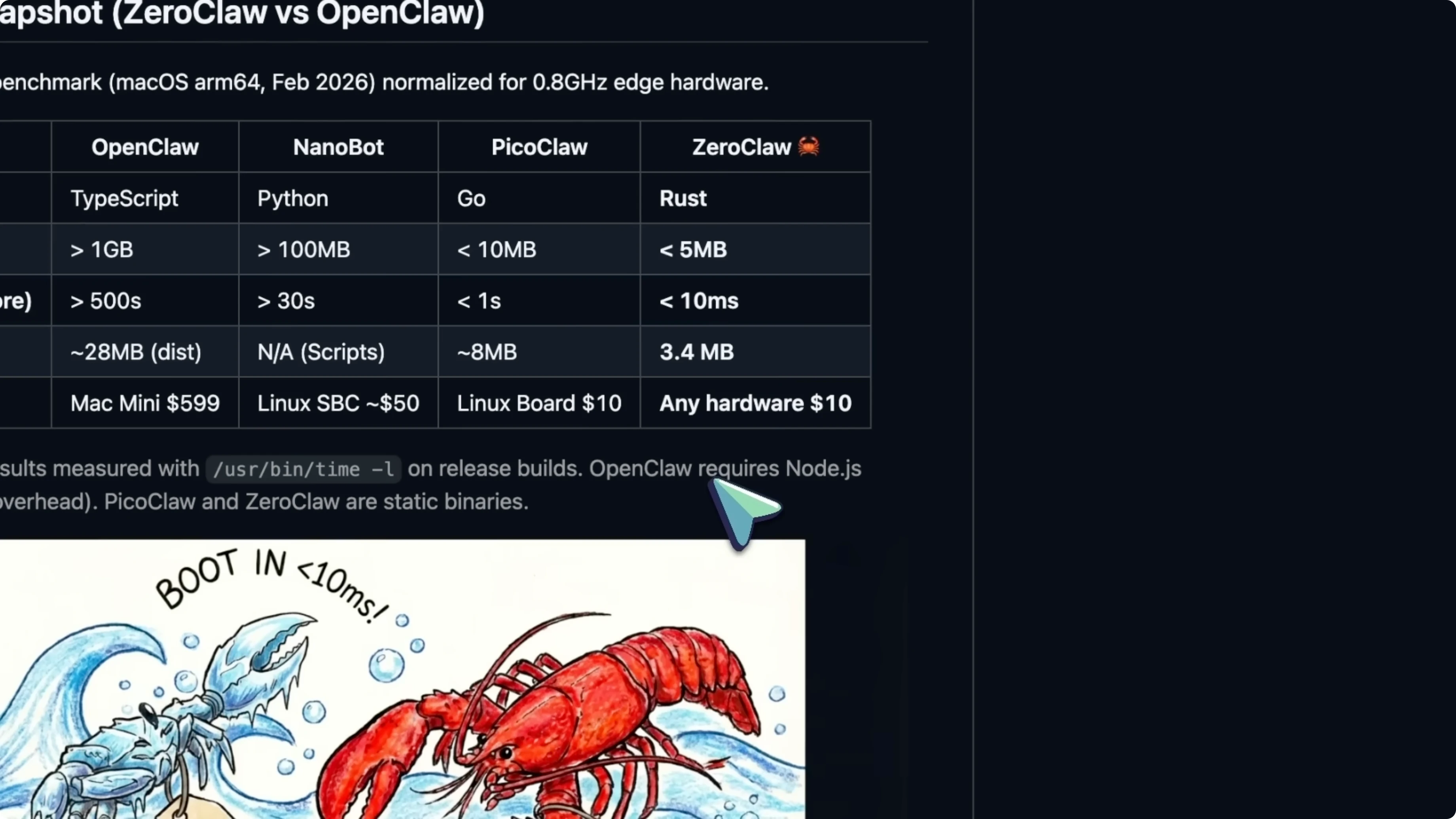
You can run it on a Raspberry Pi 0, a 10 dollar board. It stays under 5 MB of RAM, and startup time is under 10 milliseconds on a release build.
OpenClaw takes several seconds just to boot.
ZeroClaw site has more on the project, and if you want a quick head-to-head, see this comparison.
For a broader view with PicoClaw included, check this full comparison.
Why it matters - ZeroClaw
ZeroClaw is not trying to be an operating system. It is a small, fast daemon that gets out of the way. That makes AI assistants accessible to people who do not have expensive hardware.
It is built in Rust, which gives it memory safety and serious speed. The modular architecture means you are not locked into any single provider or platform. That combo is a big reason the community is getting behind it.
What it supports - ZeroClaw
ZeroClaw works with over 22 AI providers out of the box. You have Claude, OpenAI, Ollama, Grok, Mistral, and a bunch more.
If you are using Ollama locally, this is a perfect match because you can run ZeroClaw and your models on the same cheap hardware.
There are guides for setting up ZeroClaw with Ollama, and people are saying it is the fastest OpenClaw fork setup they have tried. It also connects to popular messaging platforms like Telegram, Discord, Slack, and WhatsApp.
You can control your computer from your phone through a chat app, and it does not eat your system resources while doing it.
Architecture - ZeroClaw
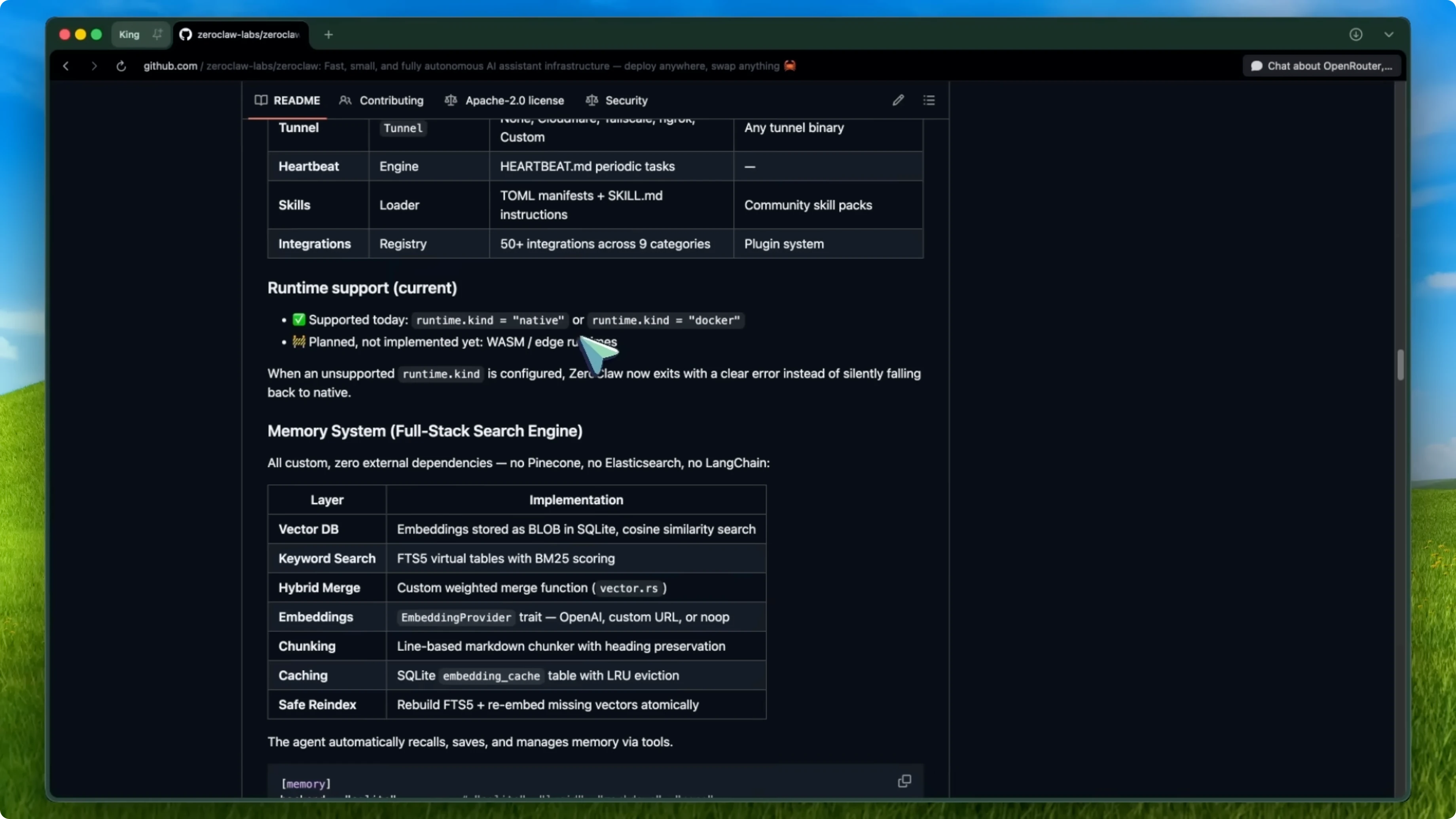
Everything in ZeroClaw is built on traits. Providers, channels, tools, and memory are all swappable. You can switch your AI provider or messaging channel by changing a config file.
No code changes are needed, and there is no lock-in. If you want to move from OpenAI to Ollama or from Telegram to Discord, you just change your config. That is it.
Memory system - ZeroClaw
ZeroClaw builds a hybrid search engine on top of SQLite. It stores vector embeddings as blobs and uses SQLite’s FTS5 extension for full text search with BM25 scoring. The best part is zero external dependencies.
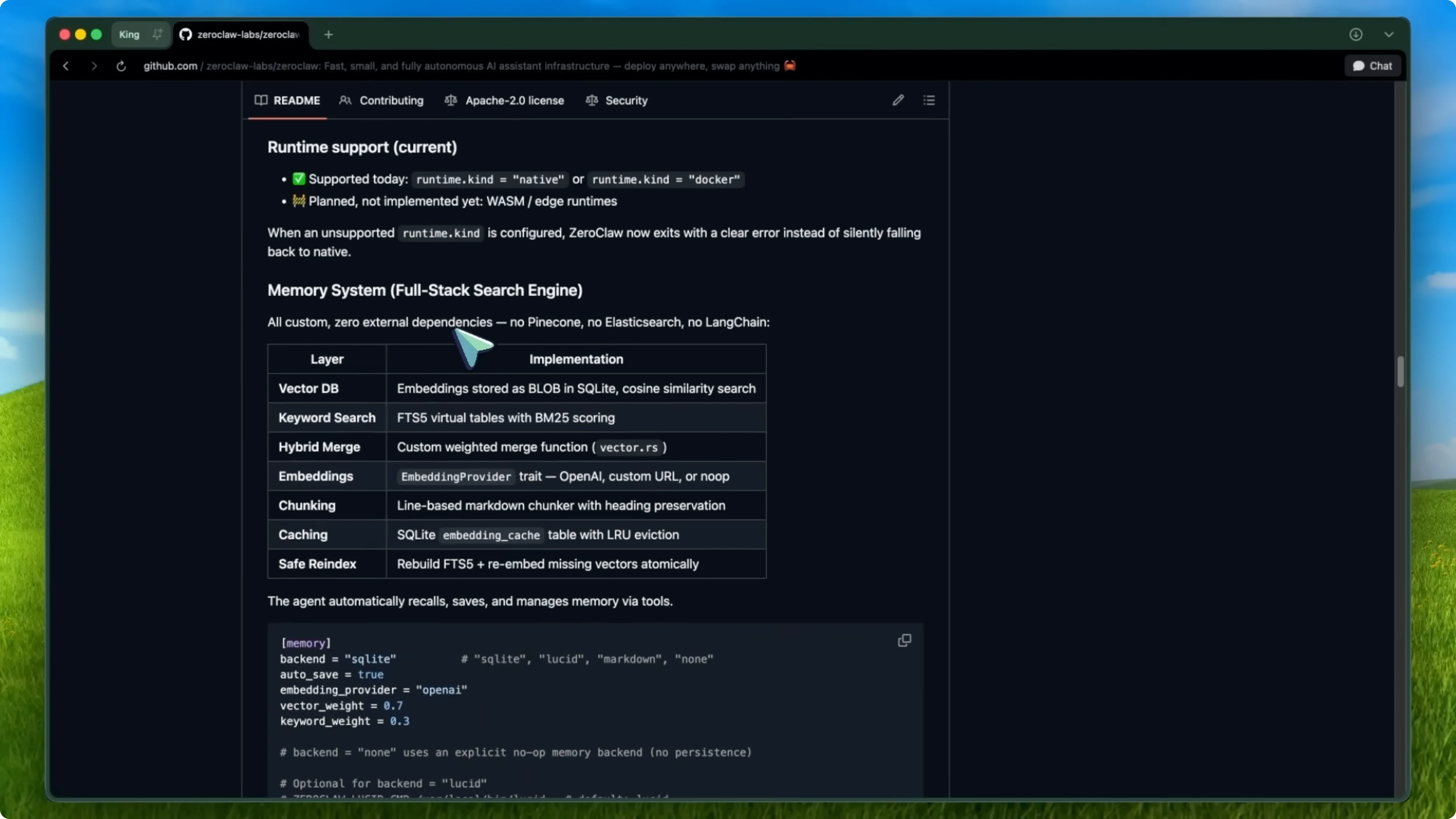
You do not need Pinecone or Elasticsearch or any heavyweight services. It is all baked into that tiny binary. That is impressive.
Security - ZeroClaw
ZeroClaw has strict sandboxing and explicit allow lists for commands. It supports workspace scoping so the agent can only access files in your designated workspace. It binds to localhost by default and refuses to bind to all interfaces unless you explicitly allow it.
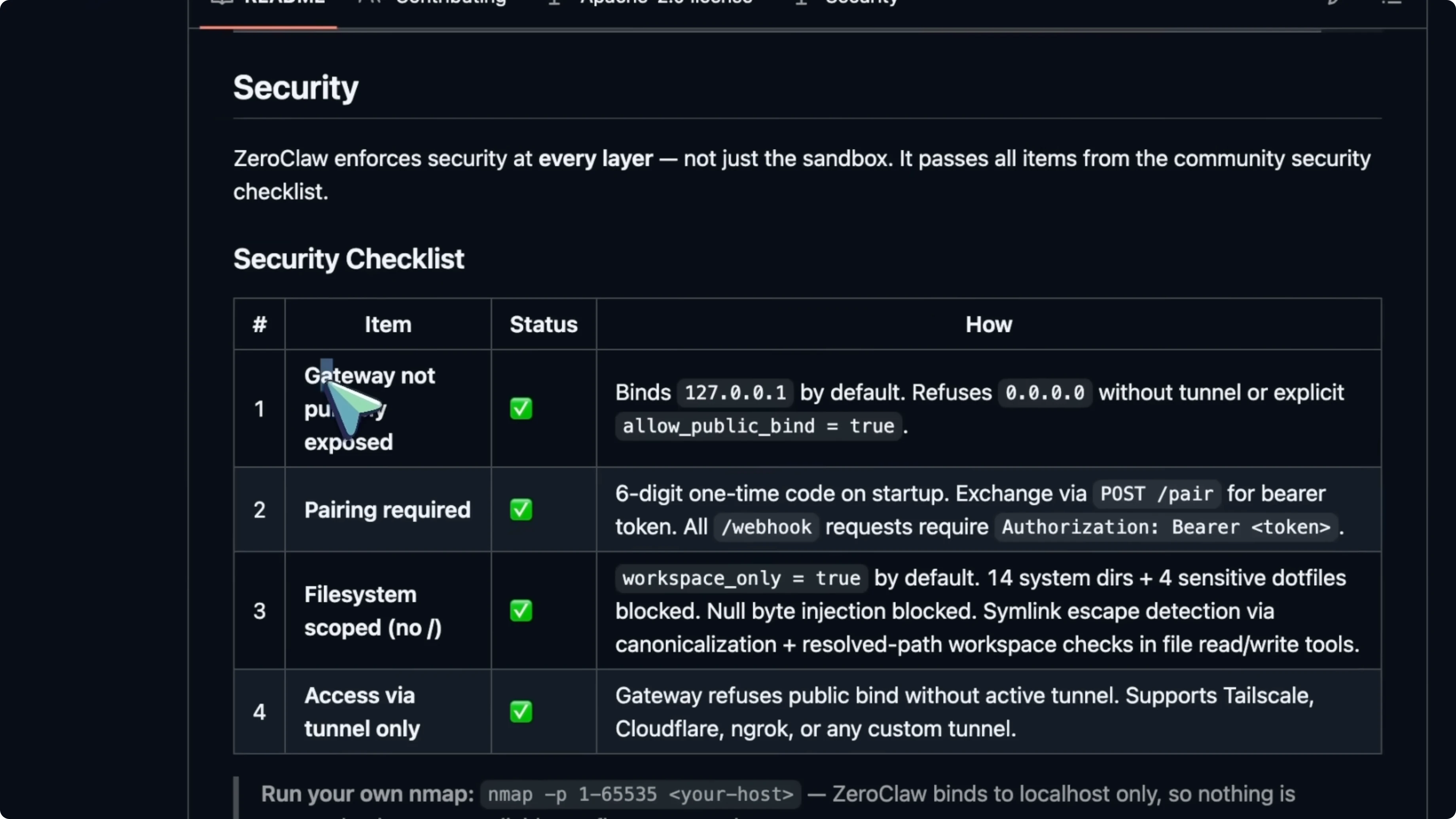
It passes items from the community security checklist for AI agents. This is important because info stealers have targeted OpenClaw config files and stolen API tokens. Having security baked in from the ground up matters.
Migration - ZeroClaw
If you are already using OpenClaw, there is a migration tool built in. You can preview and then import your OpenClaw memory and settings.
Preview the migration first:
zeroclaw migrate openclaw --dry-run
Run the migration:
zeroclaw migrate openclaw
Install - ZeroClaw
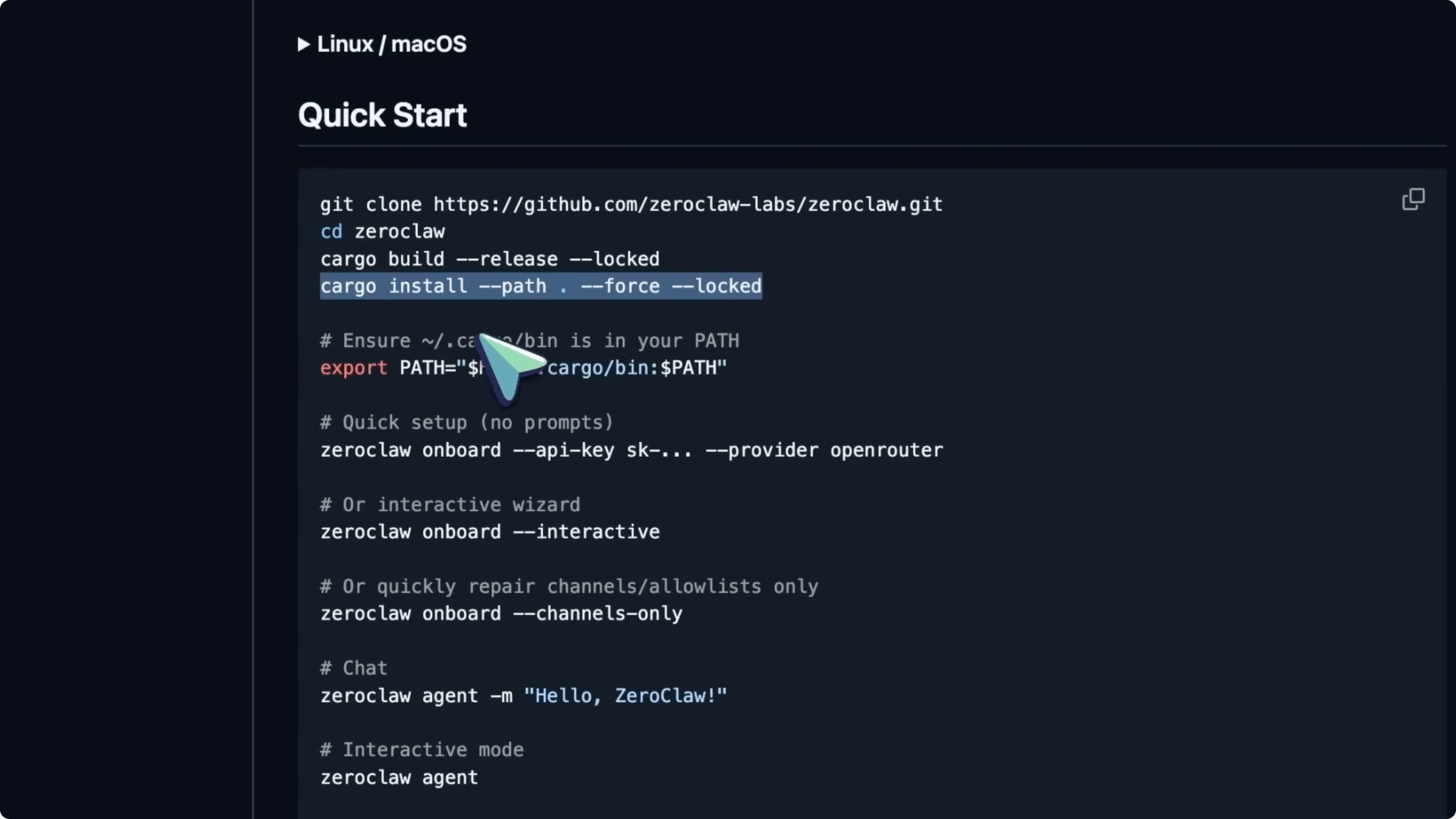
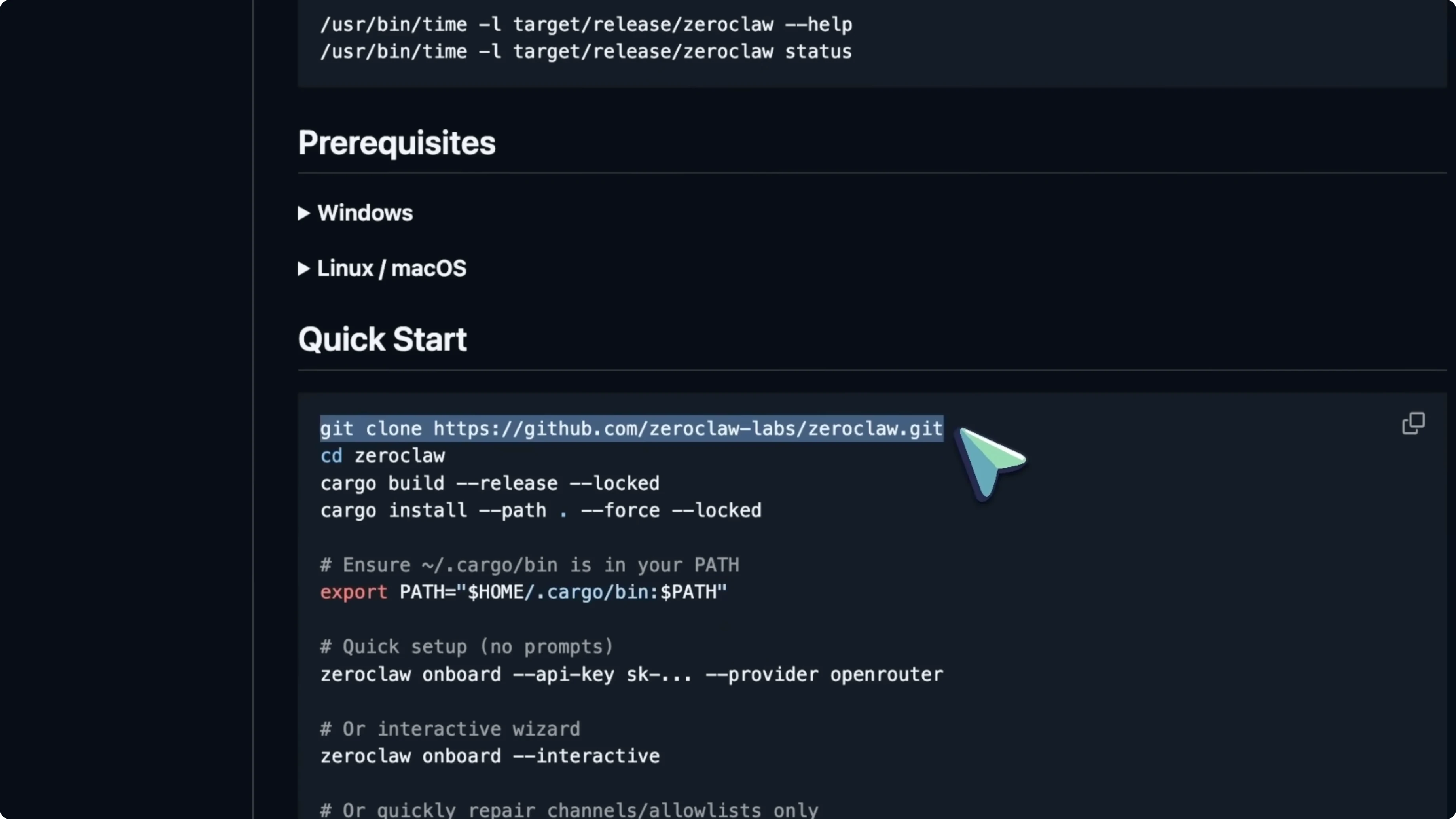
Clone the repository.
git clone <REPO_URL>
cd zeroclaw
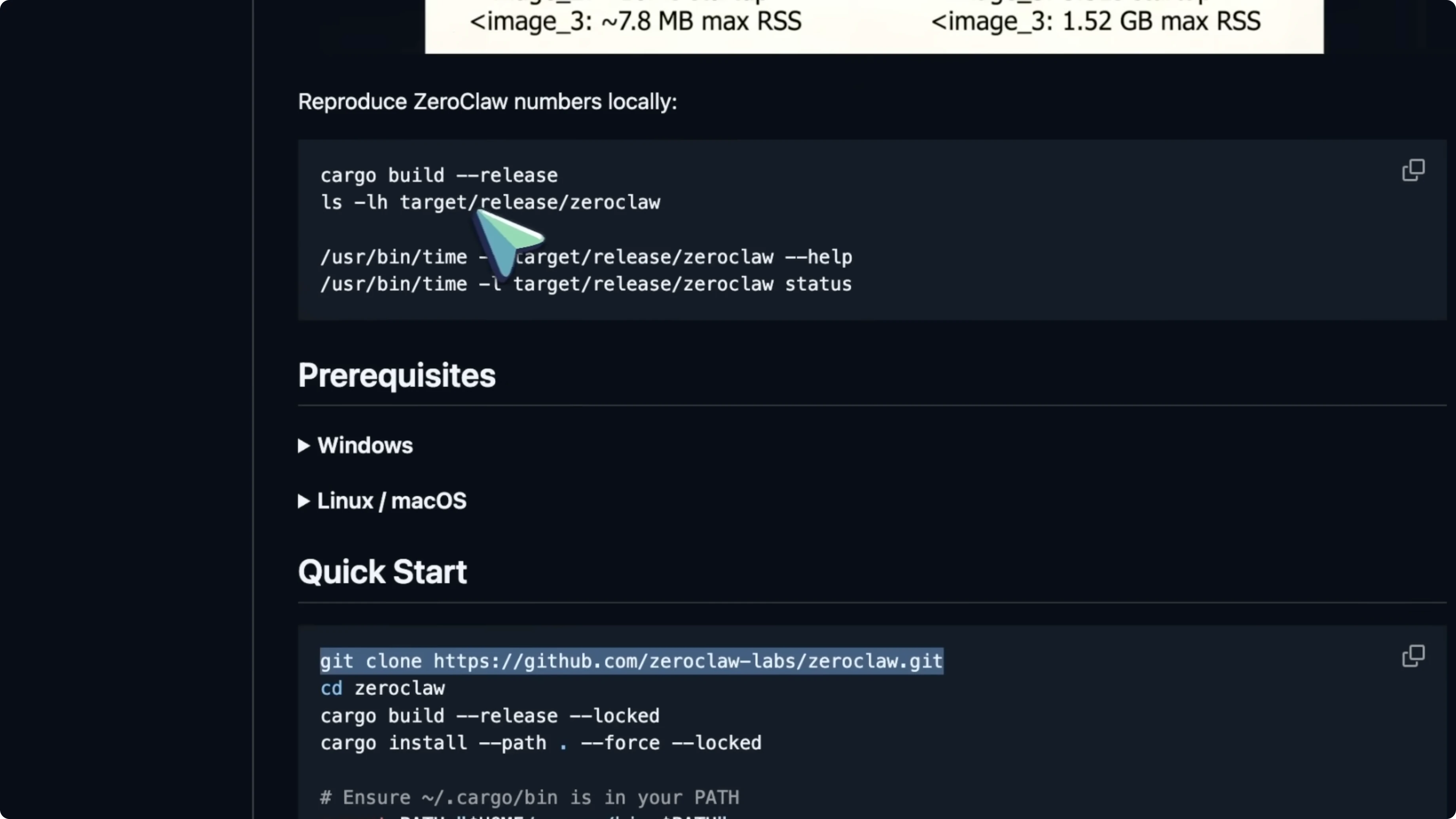
Build and install with Cargo.
cargo build --release
cargo install --path .
Initialize and complete the onboarding wizard.
zeroclaw init
The wizard sets up your AI provider, API keys, and channel configurations.
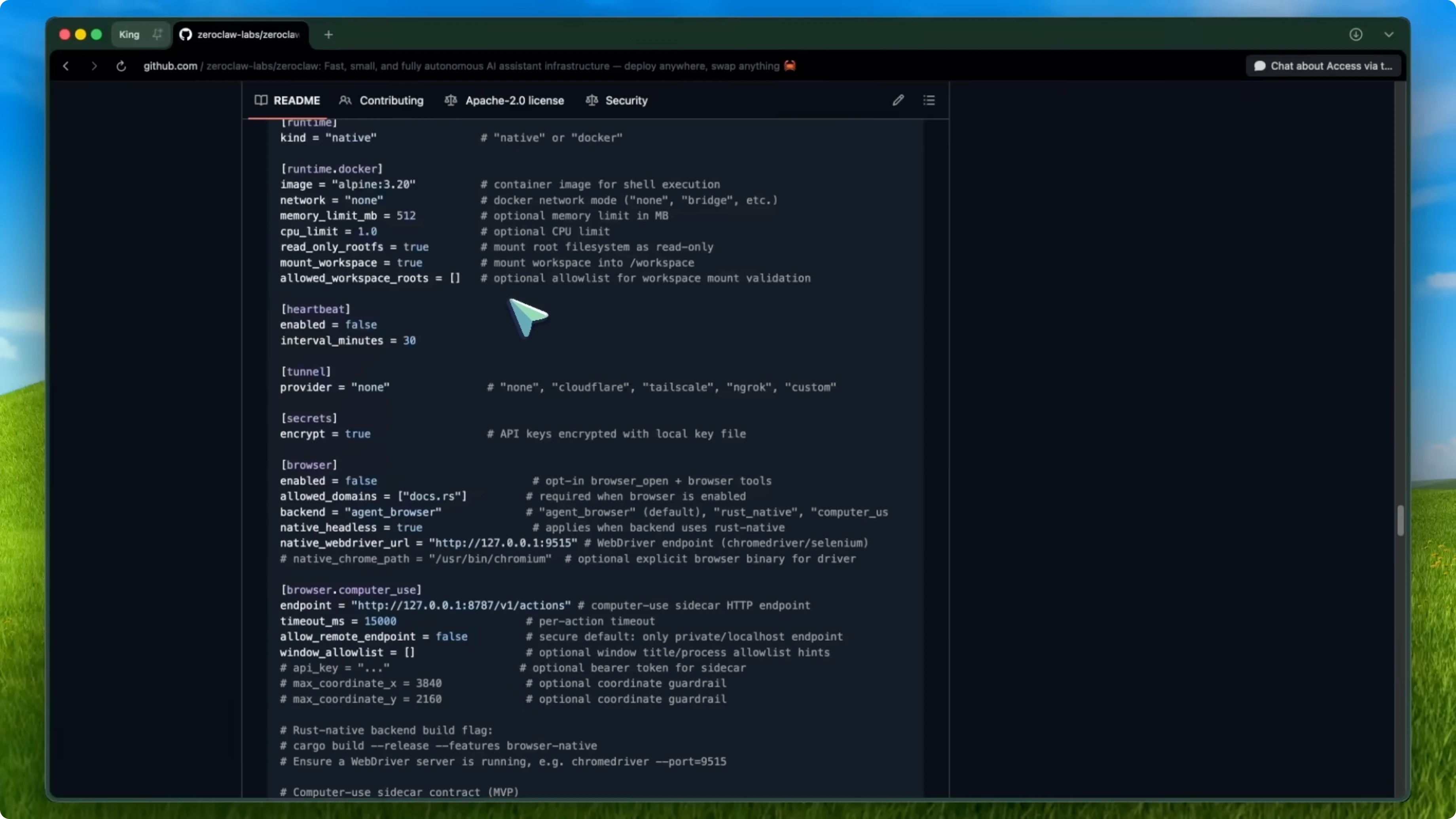
Everything is stored in a config file at ~/.0claw/config.toml.
Your API keys are encrypted by default.
My take - ZeroClaw
ZeroClaw is genuinely exciting for a few reasons. It makes AI agents accessible on low-cost hardware, like a 10 dollar Raspberry Pi instead of a Mac Mini. The Rust foundation makes it memory safe and incredibly fast.
The modular architecture means you are not locked into any single provider or platform. It already has around 7,600 stars and over 640 forks, which shows strong community momentum. The local AI assistant space is maturing, and people want options that are lightweight and secure, not just feature packed.
There are a couple of things to keep in mind. Contributing to the project requires Rust knowledge, which might be a barrier for some developers. The ecosystem of plugins and integrations is not as big as OpenClaw yet.
Final thoughts - ZeroClaw
If you are running OpenClaw on anything less than a high-end machine, or if you care about security and efficiency, give ZeroClaw a try. It is open source, free, and genuinely impressive. For more context on how it stacks up, see this quick comparison and the broader matchup, and keep an eye on the site for updates.