Version — 16 October 2026: This guide uses ZeroClaw v0.8.5, schema-3 configuration and the provider fields in its tagged source. The local example uses Ollama with Qwen3.5.
Choose where the model runs before choosing its name. Local inference uses your hardware; hosted inference sends the request to an external service. ZeroClaw is the agent runtime in either case. An API key belongs to the provider account, not to ZeroClaw.net.
1. Choose by hardware, privacy and task
| Choice | Hardware | Where requests go | Useful starting point | Main limitation |
|---|---|---|---|---|
| Ollama with a local Qwen model | Model weights, context cache and runtime must fit your machine | Local model endpoint, if configured locally | Private text experiments and basic offline workflows after downloading the model | Small models may follow instructions or use tools poorly; larger models cost memory and time |
| Gemini API directly | No local model weights or inference GPU required | Google Gemini API | Hosted text work when local hardware is constrained | Account quotas, model availability and tier-specific data handling |
| OpenRouter | No local model weights or inference GPU required | OpenRouter and the selected upstream model provider | Comparing hosted models behind one API | Routing, privacy and price depend on the selected model/provider and account settings |
A local model does not make every agent action private: web tools, remote channels, telemetry and cloud fallback can still send data outside the machine. Review the complete workflow. Google's pricing page distinguishes free-tier and paid-tier data use; OpenRouter routes according to its privacy settings and provider policies. See Gemini pricing and data-use notes and OpenRouter privacy.
In the dashboard, open Config → Model providers → Add. The raw screenshot shows Ollama configured and hosted providers still needing setup:
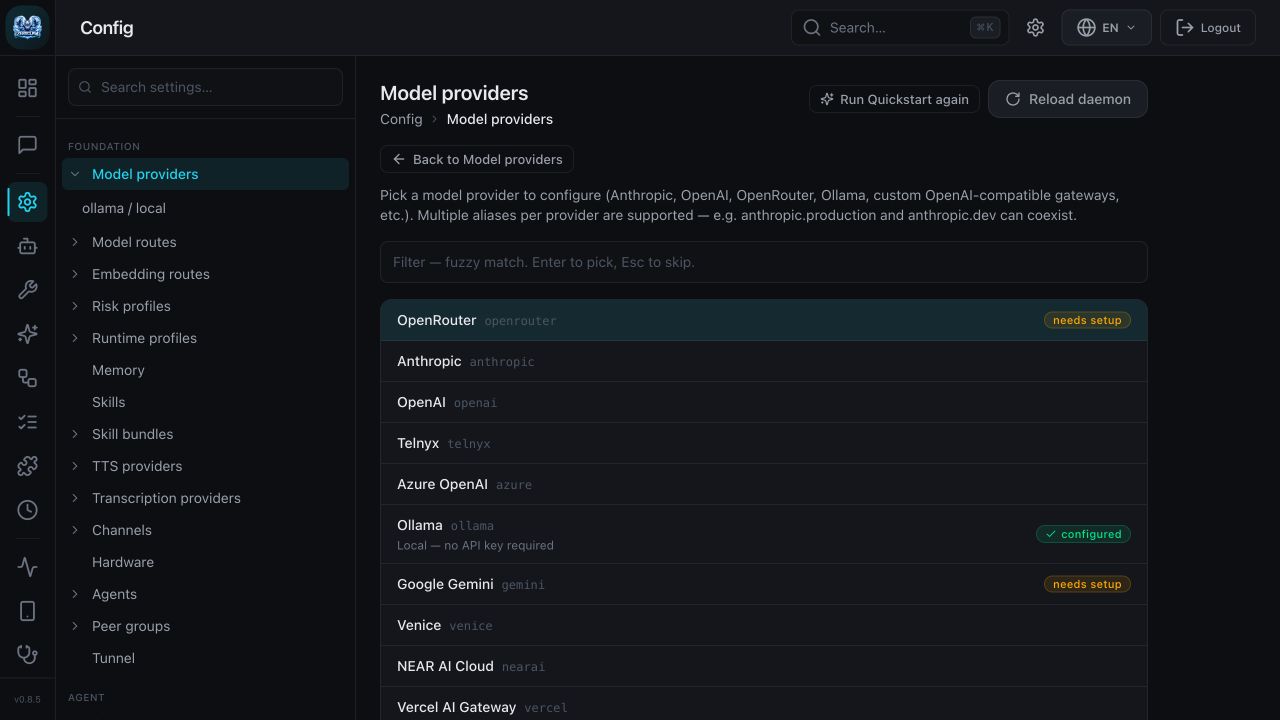
Open full-size provider screenshot.
For coding or autonomous tools, evaluate the actual tasks, tool permissions and failure handling before adopting a model. A successful “Ready” reply checks connectivity only. This page does not rank model intelligence from that prompt.
2. Start with the tested local example
Download ollama-qwen35.toml, save it as local-test/config.toml, and follow the Ollama/Qwen3.5 guide to install the runtimes and download qwen3.5:0.8b.
ollama pull qwen3.5:0.8b
zeroclaw --config-dir ./local-test config migrate --json
zeroclaw --config-dir ./local-test agent -a assistant \
  -m "Reply with the single word Ready. Do not use tools."
Our CLI returned Ready.; the browser returned Ready:
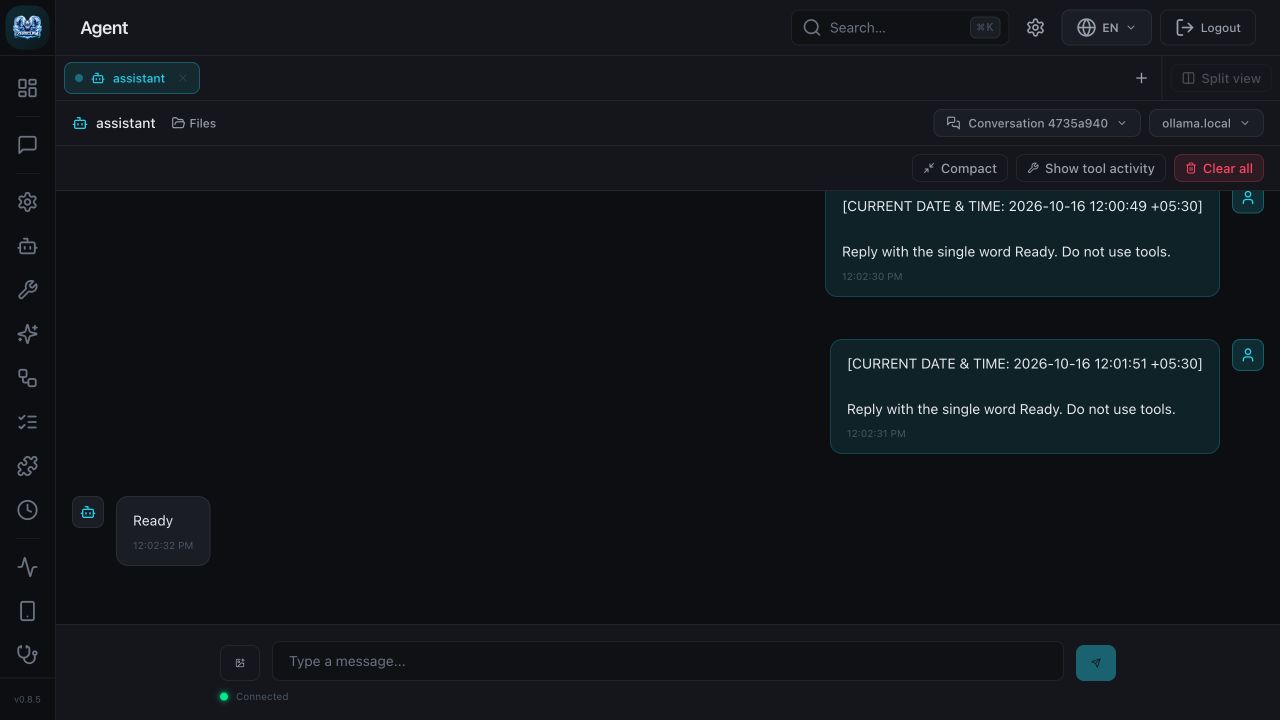
Open full-size response screenshot.
The test host had an Apple M3 and 8 GiB unified memory. The downloaded model occupied 1.32 GB; the runner RSS snapshot was about 1.33 GiB at a requested context of 4,096 tokens. These are measurements from one small test, not minimum requirements. See the full memory measurements.
3. Configure one hosted provider
Both downloads below are complete schema-3 configs with no API key included. Add your own provider credential, then use the response check in step 4.
Choose one example, create a fresh directory named hosted-test, and save its download as hosted-test/config.toml:
| Provider | Download | Provider table | Agent's model_provider | Model ID |
|---|---|---|---|---|
| Gemini directly | gemini.toml | [providers.models.gemini.hosted] | gemini.hosted | gemini-3.5-flash-lite |
| OpenRouter | openrouter.toml | [providers.models.openrouter.hosted] | openrouter.hosted | google/gemini-3.5-flash-lite |
The model ID differs even though both examples refer to the same model family. The v0.8.5 default endpoints are:
Gemini:     https://generativelanguage.googleapis.com/v1beta
OpenRouter: https://openrouter.ai/api/v1
Leave uri unset for these standard endpoints. A custom proxy needs its own verified URI and compatible provider implementation.
The Gemini provider section is:
[providers.models.gemini.hosted]
model = "gemini-3.5-flash-lite"
temperature = 0.0
max_tokens = 128
native_tools = false
The OpenRouter equivalent is:
[providers.models.openrouter.hosted]
model = "google/gemini-3.5-flash-lite"
temperature = 0.0
max_tokens = 128
native_tools = false
Keep [agents.assistant] pointing to the matching alias and retain the read-only risk profile in the download. This is API-key setup, separate from a Gemini consumer subscription or CLI authentication.
In the dashboard, open Gemini → hosted → Model and check the model identifier:
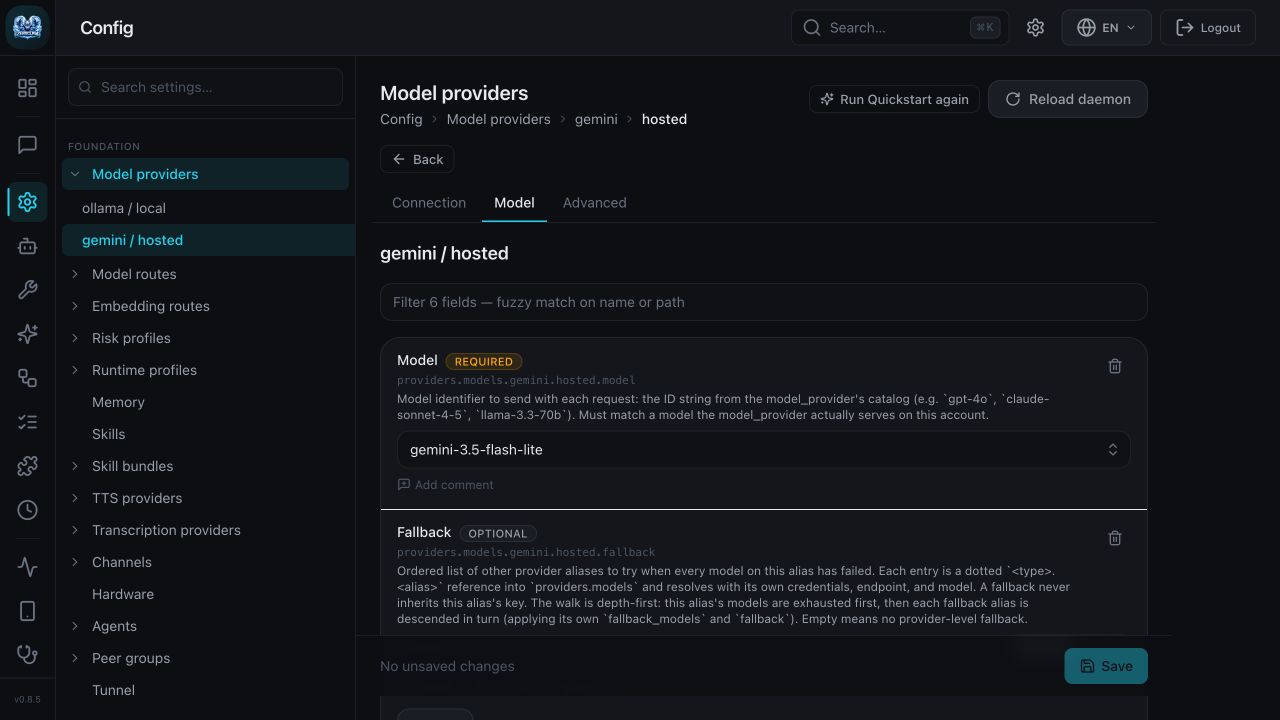
Open full-size model screenshot.
4. Enter the API key privately, then verify a response
Create or select a key in your chosen provider account and set an appropriate spending/quota limit there. Use ZeroClaw's masked prompt; do not paste keys into shell arguments, committed TOML, screenshots or support messages.
For Gemini:
zeroclaw --config-dir ./hosted-test config set providers.models.gemini.hosted.api_key
For OpenRouter:
zeroclaw --config-dir ./hosted-test config set providers.models.openrouter.hosted.api_key
Open the provider’s Connection tab to find its API key field:
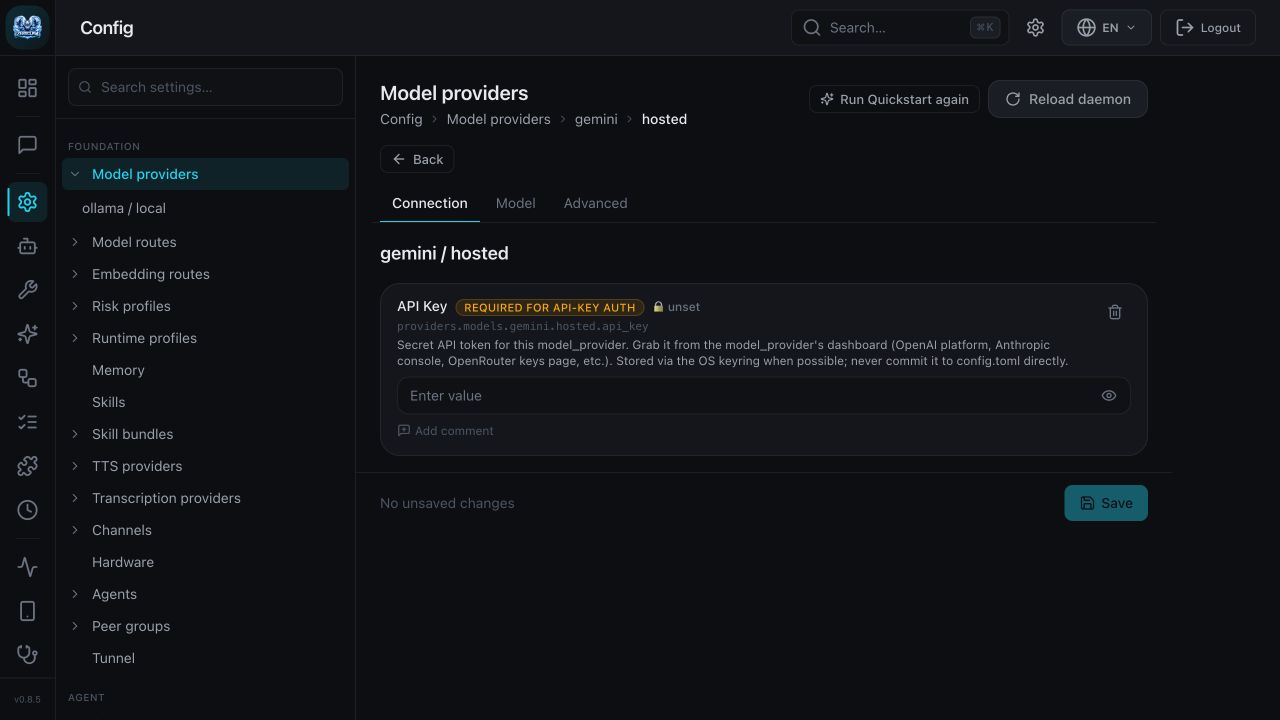
Open full-size setup screenshot.
Then run:
zeroclaw --config-dir ./hosted-test config migrate --json
zeroclaw --config-dir ./hosted-test agent -a assistant \
  -m "Reply with the single word Ready. Do not use tools."
Your success check: the first command reports valid: true, and the second returns model text without an authentication, quota or provider error. A parser pass or a provider entry in the dashboard is insufficient. Diagnose errors with the provider troubleshooting checklist.
On 16 October 2026, this Gemini 3.5 Flash-Lite configuration returned Ready through both the ZeroClaw CLI and its dashboard:
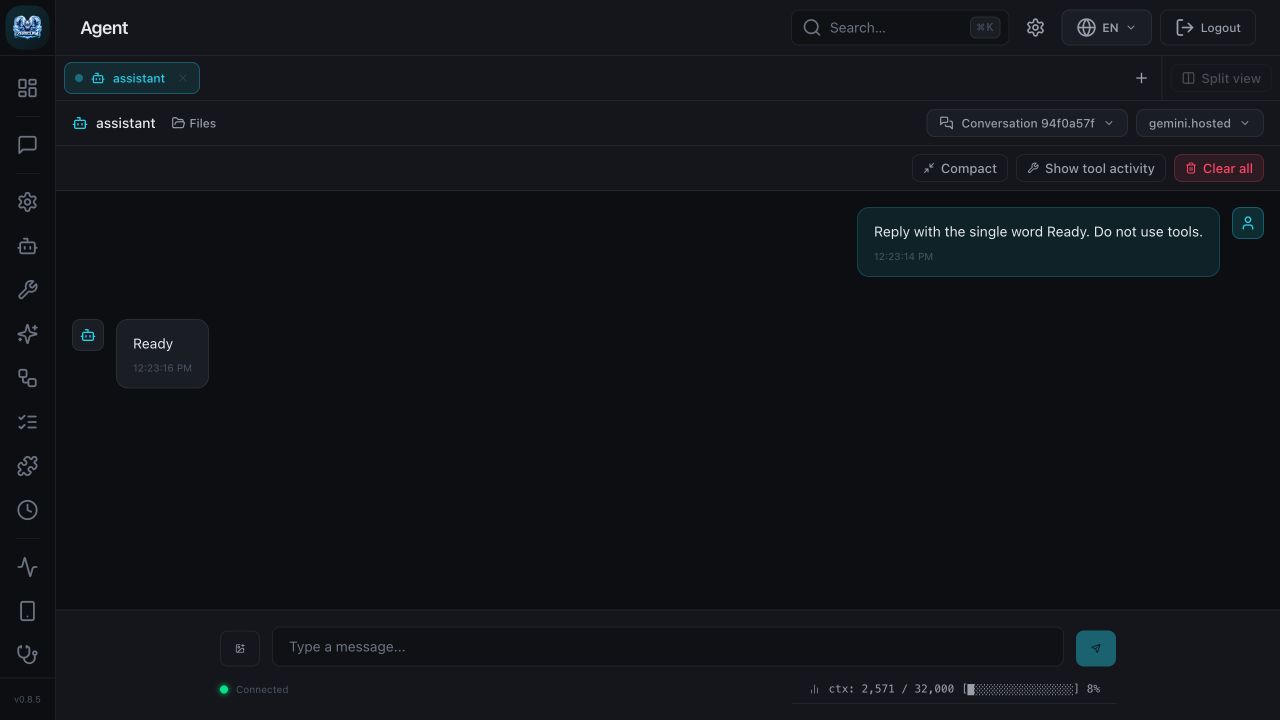
Open full-size Gemini response.
If an older Gemini model returns “The selected model is unavailable,” follow the verified model replacement fix.
5. Compare prices with a check date
Checked 16 October 2026; USD per one million tokens, standard text rates. These are source prices, not costs measured from this test.
| Example | Input | Output | Additional considerations |
|---|---|---|---|
| Local Ollama/Qwen3.5 | No hosted per-token charge for this local run | No hosted per-token charge for this local run | Hardware, electricity, storage and administration still cost money |
| Gemini 3.5 Flash-Lite direct, free tier | Free within account quotas | Free within account quotas | Confirm the project tier in AI Studio; free-tier data terms apply |
| Gemini 3.5 Flash-Lite direct, paid standard tier | $0.30 | $2.50 | Audio, caching, tools and other tiers have separate rates; free-tier quotas and data terms differ |
| Gemini 3.5 Flash-Lite via OpenRouter, displayed standard routes | $0.30 | $2.50 | Check route-specific prices and current account/credit purchase fees |
Sources: Google's Gemini API pricing, OpenRouter model pricing, and OpenRouter account pricing. Recheck before enabling billing or deploying. Availability and rate limits are account-specific.
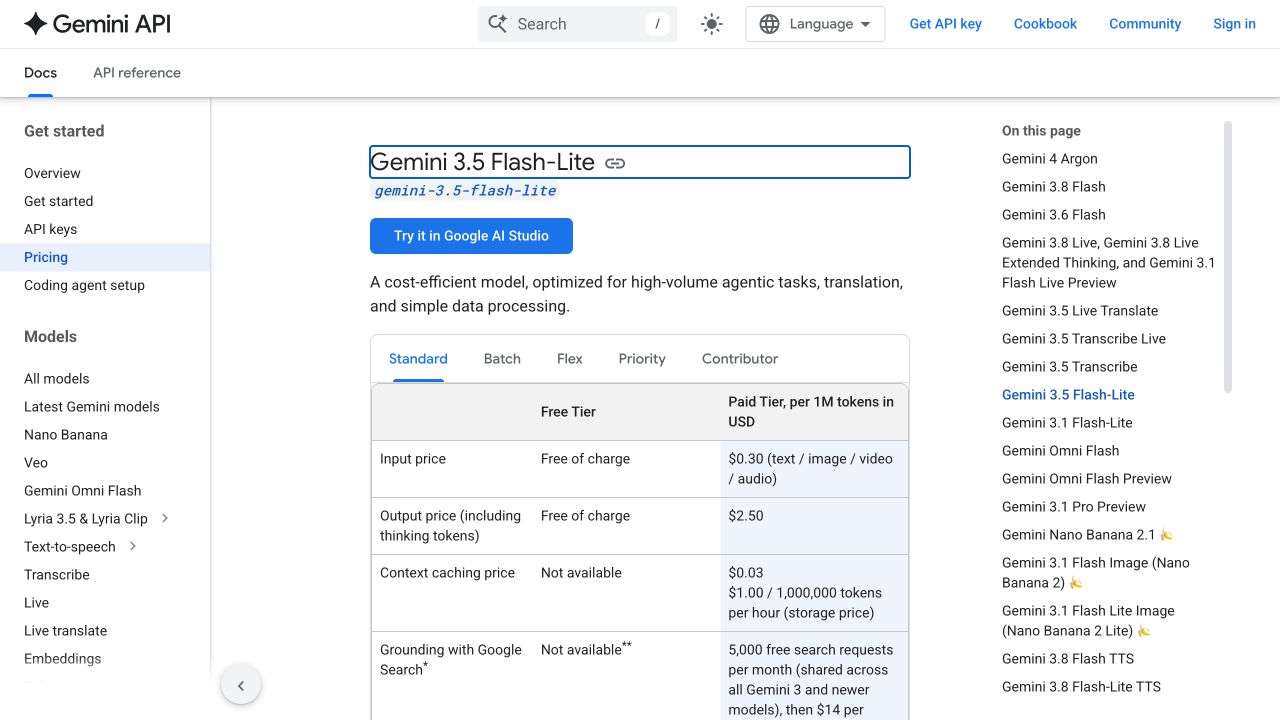
Open full-size Google pricing screenshot.
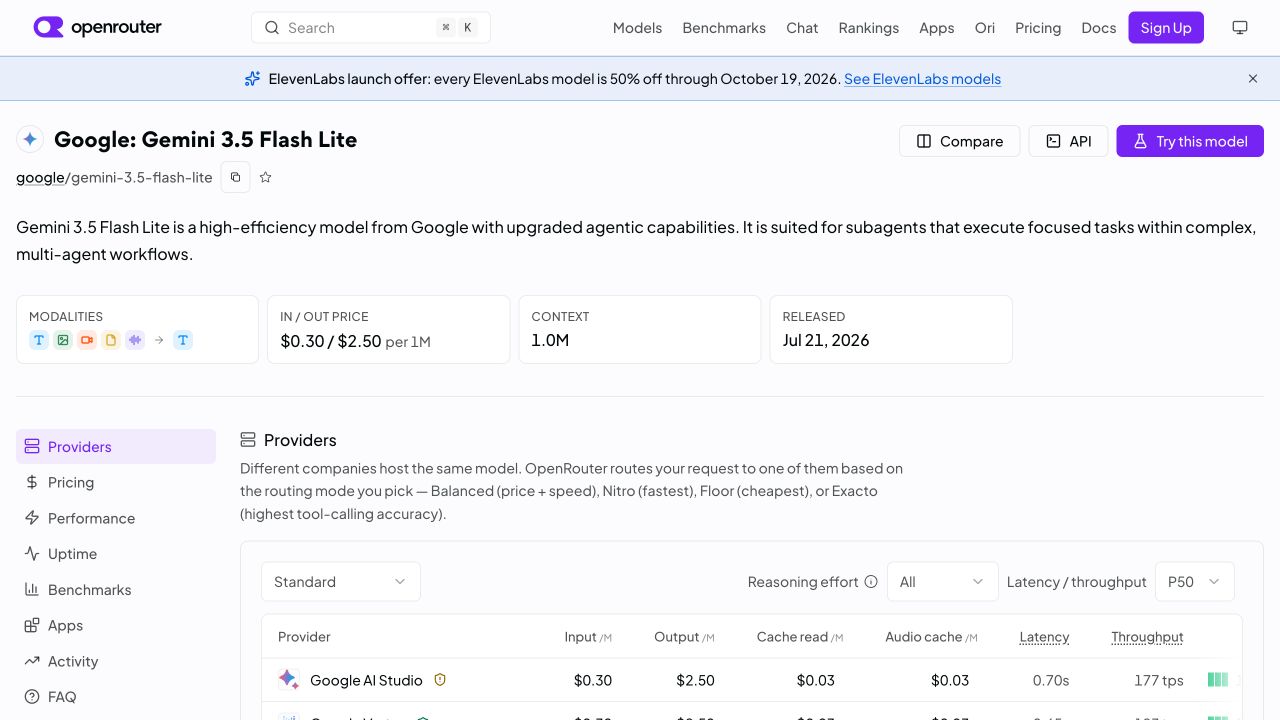
Open full-size pricing screenshot.
At the listed rates, 1,000 text input tokens plus 100 output tokens cost about $0.00055 before additional charges. This is arithmetic, not an observed bill. Agent system prompts, history, retries, tools and multiple turns can substantially increase usage.
6. Understand fallback before enabling it
In v0.8.5, these fields belong inside a provider alias table:
| Field | Meaning |
|---|---|
fallback_models | Ordered model IDs tried on the same provider, using that alias's endpoint, key and headers |
fallback | Ordered dotted provider aliases, each with its own model, credentials and endpoint |
An example fragment inside [providers.models.ollama.local] is fallback = ["gemini.hosted"], but enable it only if sending the original request to Google is acceptable and gemini.hosted is independently configured. A fallback does not inherit the original alias's key. Same-provider alternate models are exhausted before traversing fallback aliases, according to the tagged schema.
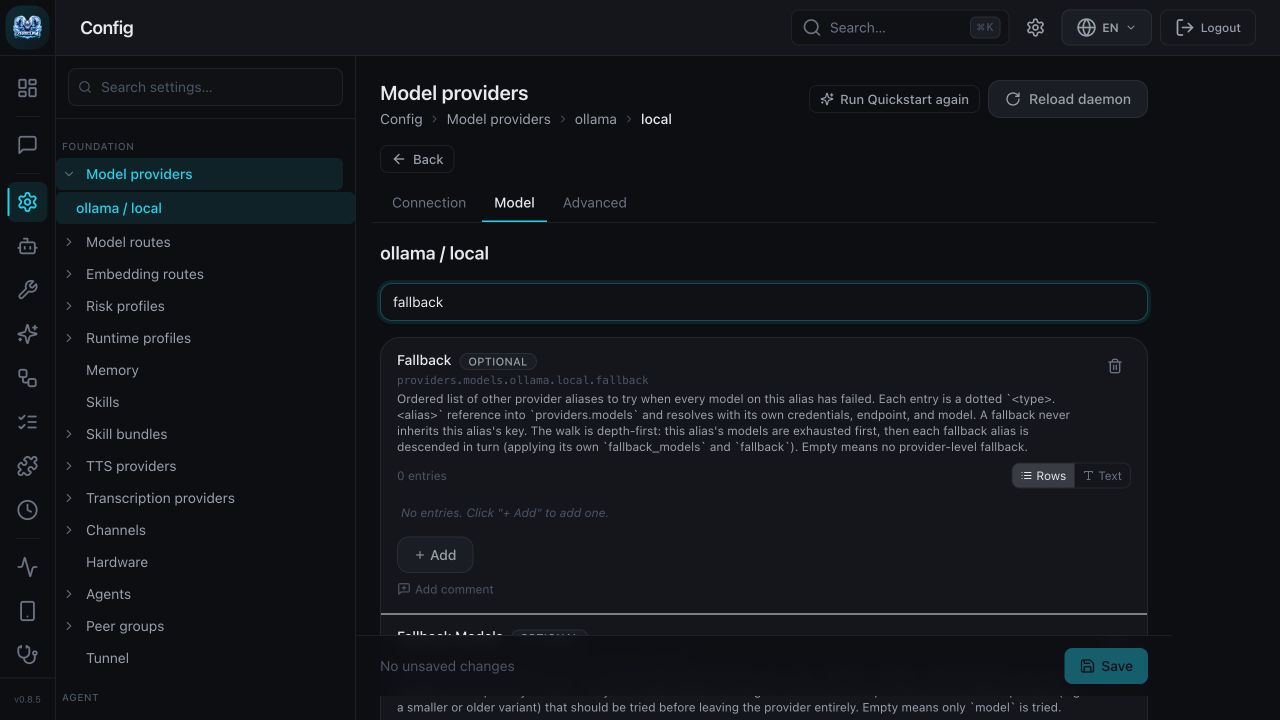
Open full-size fallback screenshot.
The supplied local example has no cloud fallback. Keep it that way when requests must stay local. Do not confuse ZeroClaw's alias fallback with OpenRouter's upstream provider routing.
Start with one working provider, then test any backup independently using a non-sensitive prompt. Record which endpoint handled the response and its cost before relying on fallback in production.
Next guides: Install ZeroClaw, configuration and migration, local Qwen3.5 setup, and troubleshooting.